
Architecture Document

Author Information
Section titled “Author Information”Author(s): Jasdeep Singh(Jassingh27), Adrienne Gelbhauer(agelb21)
Section titled “Author(s): Jasdeep Singh(Jassingh27), Adrienne Gelbhauer(agelb21)”Team: OnTrack Documentation
Section titled “Team: OnTrack Documentation”Team (Delivery and/or Product) Lead: Shaine Christmas
Section titled “Team (Delivery and/or Product) Lead: Shaine Christmas”Date of Writing: 20/09/2022
Section titled “Date of Writing: 20/09/2022”Document Summary
Section titled “Document Summary”Documentation Title: **Architecture Document
Section titled “Documentation Title: **Architecture Document”Documentation Type
Section titled “Documentation Type”[Informative/Technical]
Documentation Information Summary
Section titled “Documentation Information Summary”This document is visual report for architecture for OnTrack consist of context and container diagram which explains its working.
Introduction
Section titled “Introduction”Purpose This document provides a high-level overview of the OnTrack system
Section titled “Purpose This document provides a high-level overview of the OnTrack system”it intends tocommunicate the project structure and architecture to varying levels of complexity appropriate for various stakeholders withing the organisation and varying levels of technical literacy.
Scope This Architecture document uses a context diagram
Section titled “Scope This Architecture document uses a context diagram”and container diagram to provide ahigh-level overview of the system,both are highly visual and aim to be easy to comprehend, the context diagram aims to be non-technical, and the container diagram provides further information to understand system structures.
Context diagram
Section titled “Context diagram”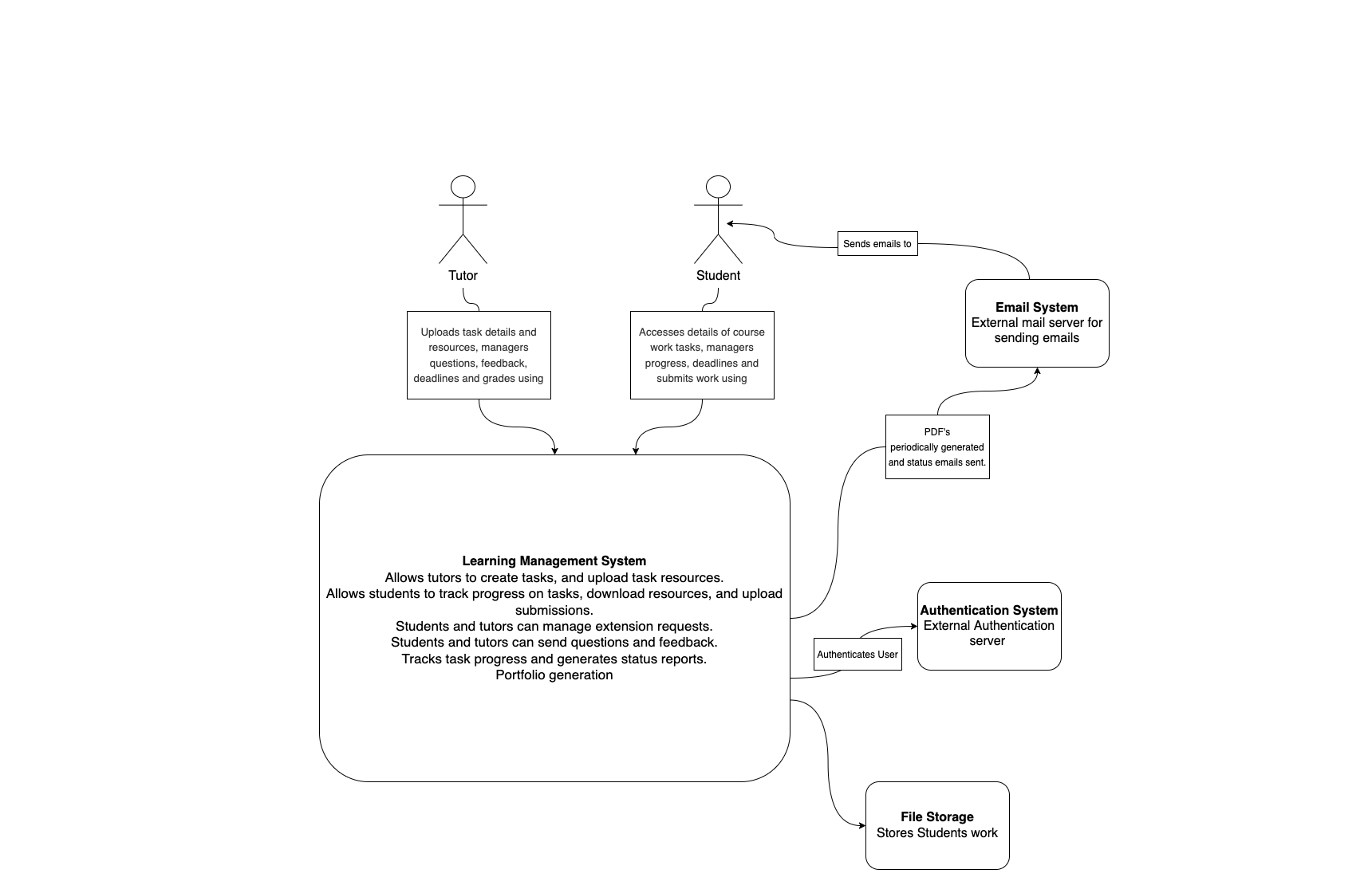
Container Diagram
Section titled “Container Diagram”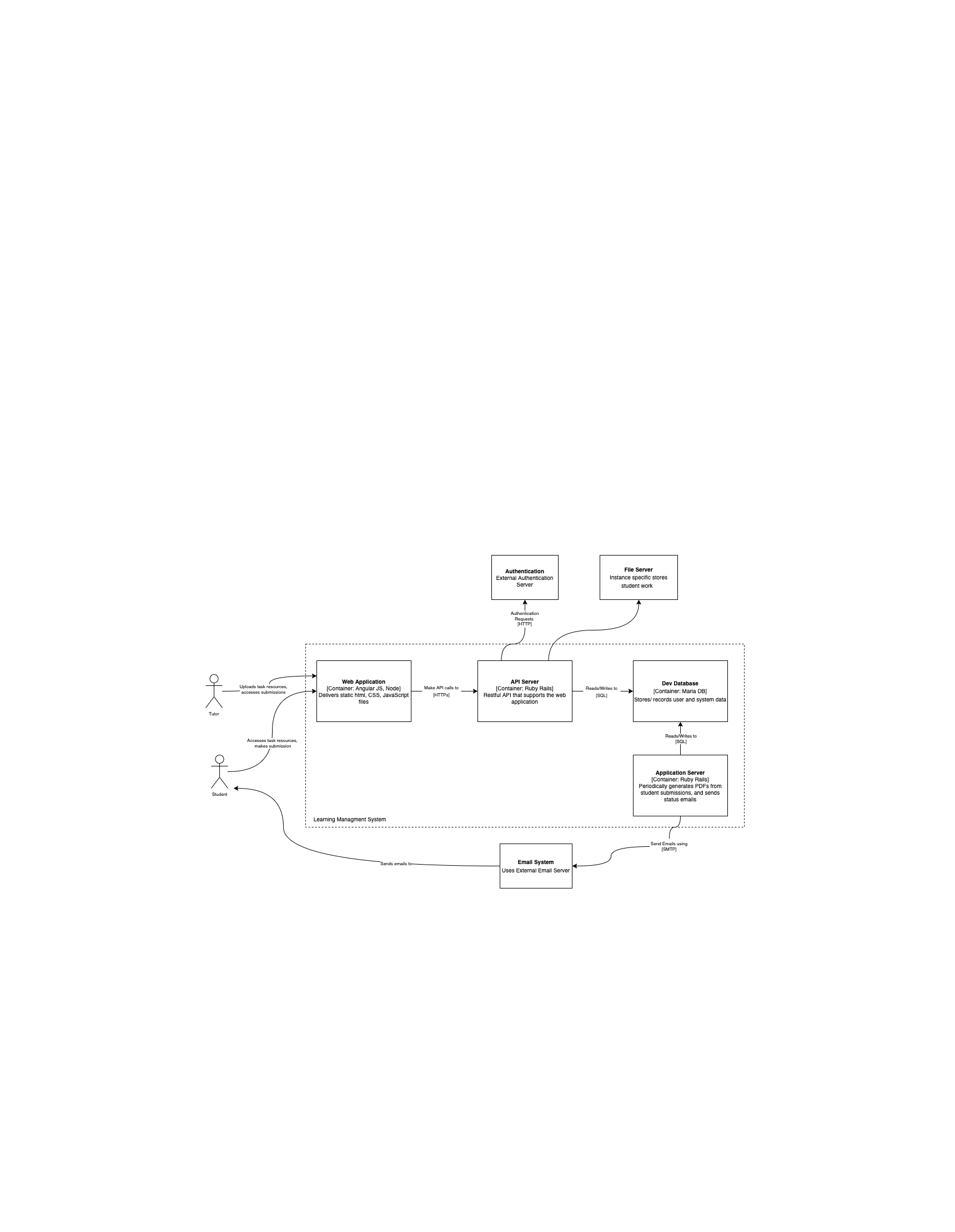
Architectural Goals and Constraints
Section titled “Architectural Goals and Constraints”- Maintaining a base system that supports future work towards developing new or enhancing currentfeatures that improve the teaching and learning experience.
- front-end components are clear to understand, user friendly, and straightforward to use.
- System allows tutors to upload assessment tasks, resources, and assign learning outcomes to each task.
- Students can set a learning outcome goal and filter tasks required for this goal, they can then view each task and download the related task resources.
- Through the same task view, students can check deadlines, submit extension requests, send query’s to tutors, and make task submissions.
- Tutors can view and download submissions, manage extension requests, respond to queries and leave feedback.
- System generates progress reports that are sent through email system, users can also track progress relating to each unit and their set learning outcome goals.
Use-Case View
Section titled “Use-Case View”